Write the rule book before the next screen
Why I stopped building meetre's Mac app halfway through to write a design rule book, what's in it (one red, seven spacing values, six principles), and why it made every screen after it faster.
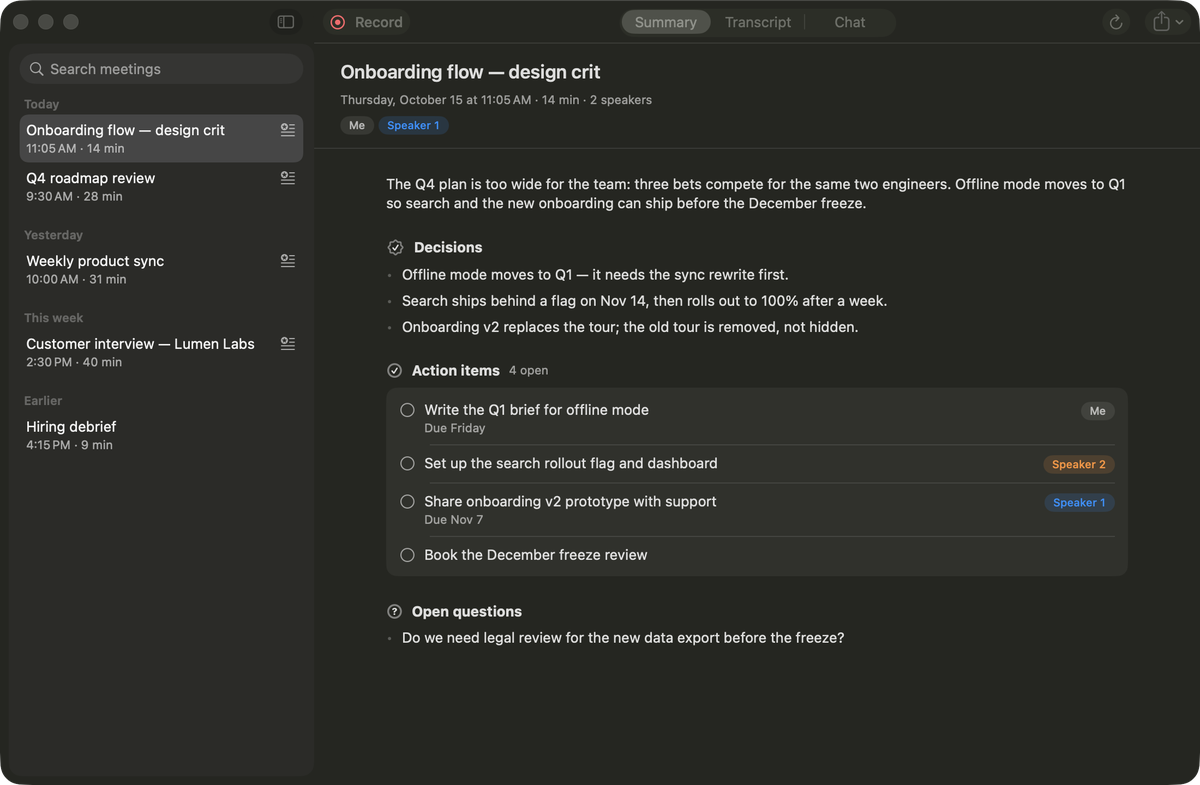
There's exactly one red in meetre. It's #E5484D in light mode, #FF6369 in dark, and it's allowed in three places: the record button, the little red dot, and the elapsed timer while you're recording. Nowhere else. Not on a delete button, not on an error banner, not on a "new" badge. That one sentence lives in a file called DESIGN.md, and it saved me more arguments with myself than anything else I wrote this month.
I wrote that file in the middle of building meetre's native Mac app. Menu bar popover, library window, live overlays, settings, onboarding. Around the third surface I noticed I was making the same decisions over and over, slightly differently each time. A 12 pt gap here, 14 there. A corner radius I picked because it looked right at 11pm. So I stopped drawing screens and wrote down the rules first.
Six principles, then everything else
The book opens with six principles, and I kept them short enough to remember without opening the file:
- Quiet until needed. meetre sits next to a meeting, not in it. Nothing blinks or asks for attention unless you have to act.
- Content over chrome. What was decided and who does what is the interface. Toolbars and borders are as light as they can get.
- Local and honest. Never imply the cloud, never show a fake spinner, say plainly when something broke.
- One obvious action per surface. Menu bar: record or stop. Meeting: read the summary. Settings: change one thing.
- Native first. SwiftUI, system controls, SF Symbols, Liquid Glass. Custom drawing only where macOS has nothing.
- Feels instant. Every interaction answers within 100 ms, even when the actual work takes minutes.
Those six do most of the deciding. When I wasn't sure whether the popover should show a list of model options, principle four answered it: no, those go in a menu. When I wanted a cool animated waveform on the library window, principle one said it belongs in the HUD while recording, and nowhere else.
A rule book is a list of arguments you've already had, so you don't have to have them again at 11pm.
Fewer values than you think you need
The spacing scale is 2, 4, 8, 12, 16, 24, 32. The file literally says "Nothing else." Corner radii get four values: 6 for chips and small buttons, 10 for cards and text fields, 14 for HUD panels and popover cards, 20 for large hero cards. The popover is 360 pt wide. The HUDs are 440 pt wide, sit 14 pt from the top-right corner, and the live transcript is 300 pt tall or 46 pt minimized.
That looks pedantic written down. In practice it's the opposite of restrictive. When you only have seven spacing values, you stop agonizing over whether something wants 13 or 14. You pick 12 or 16 and move on, and the result looks calmer because everything snaps to the same rhythm. I've written about this before in design systems that actually work: the constraint is where the speed comes from.
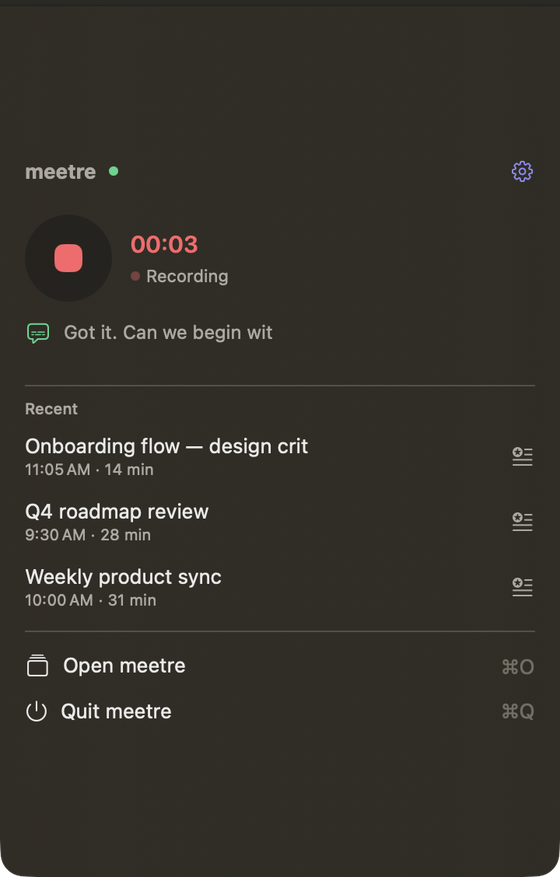
Color works the same way. Text uses .primary, .secondary, .tertiary and nothing custom. The only hand-picked colors are tokens with a light and dark value: an indigo accent, the record red, a green live, an amber warn, and one color per pipeline step. Speakers get the system palette in order of first appearance, and "Me" is always neutral grey, because you don't need a color to recognize yourself.
There's also a rule I'm a bit proud of: never convey state by color alone. Every colored thing comes with a symbol or a word. "● Recording", "✓ Done", "⚠ Needs permission". If you're colorblind, or just glancing at the menu bar from across the room, it still reads.
The line that keeps it honest
Most design docs die because nobody updates them. The screens drift, the doc stays, and six months later it describes an app that doesn't exist. So the last section of meetre's book is engineering rules, and one of them goes:
"Every new color, radius or spacing value must come from the tokens above (Theme.swift); a PR that adds a literal adds it to this book first."
That's the whole enforcement mechanism. You can add a new value. You just have to write it down where everyone sees it, which turns "I needed 18 here" into a decision instead of an accident. Most of the time, writing it down is enough to make you realize you didn't need 18 after all.
It also turned out to be a great prompt
A side effect I didn't plan: a lot of meetre's code was written with an AI coding agent next to me, and a rule book is exactly the kind of thing those agents are good at following. "Make the error banner match the design book" gets a better result than any amount of describing what I want. It doesn't guess a red, because the book says destructive actions use the system .red role and never record. The book doesn't make anyone a designer. It does make taste repeatable, which is the part that usually leaks first when you move fast.
Write it earlier than feels reasonable
The honest trade-off: writing the book cost me time I could have spent shipping screens. Two surfaces in, it felt premature. By surface five (onboarding, which has its own rules about sound, pacing and the one place rounded display type is allowed) I was annoyed I hadn't done it on day one.
TaskAlarm, the small to-do app I built right after, got a BRAND.md before it got a second view. Status colors only for status. The smiley never frowns at you for normal things. Buttons squish to about 94% when pressed. It was quick to write, and the app looks like it was made by one person, which, to be fair, it was.
I still break my own rules sometimes. The difference is that now I have to open a file and admit it.