Meetre grew up and became a real Mac app
My meeting transcriber started as a Python script with a sparkle in the menu bar. Now it's a native SwiftUI app with a library, live captions and a Teams prompt, while the Python engine quietly keeps doing the heavy lifting underneath.
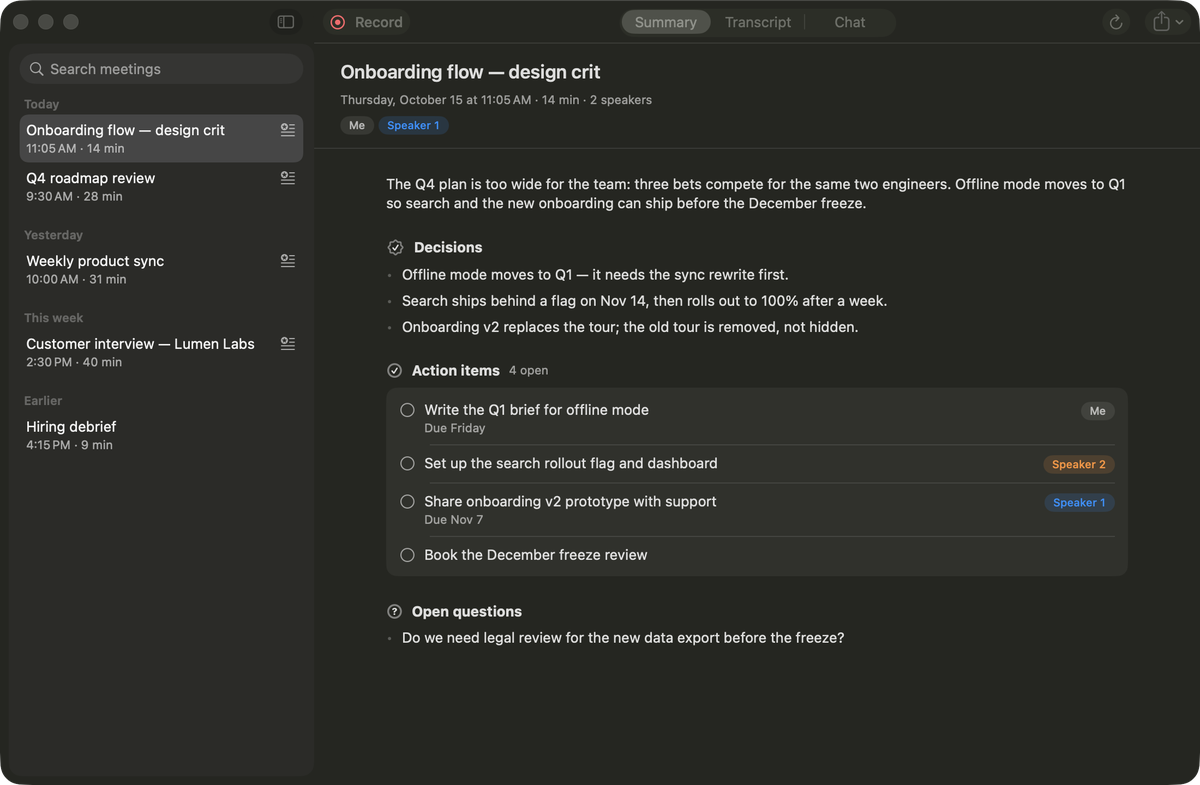
Back in June, Meetre was a ✦ in the menu bar, a Python process behind it and a folder full of Markdown files. I wrote about it here, and I was happy with it. Then I kept using it, and the cracks showed up where they always do: not in the models, but in everything around them.
So this week Meetre became a proper app. Meetre.app, written in SwiftUI, sitting in ~/Applications, findable in Spotlight and Launchpad like anything else on your Mac.
The Python stays, it just stopped talking to you
I didn't rewrite the engine. Transcription, speaker detection and summaries all live in Python on top of MLX and PyTorch, and that code works. Porting it to Swift for the sake of purity would have cost me a month and bought me nothing.
What changed is who's in charge. The Swift app launches the engine as a child process and talks to it over JSON-RPC, one JSON object per line on stdin and stdout. The app sends record.start, the engine answers with a timestamp and then streams state events every half second while it records or processes. The engine has no UI at all anymore. Everything you see is Swift.
That split has a nice side effect I'd underestimated. macOS hands out microphone and screen-recording permission per app. When a Python interpreter asked for them, the permission dialog named some binary deep in a virtual environment, which looked about as trustworthy as it sounds. Now the engine runs under Meetre.app, so the dialog says "Meetre" and the permission sticks to the thing you actually installed. The app and its little capture helper are also signed with a stable local identity, so rebuilding after an update doesn't make macOS forget everything you allowed.
One obvious action per surface
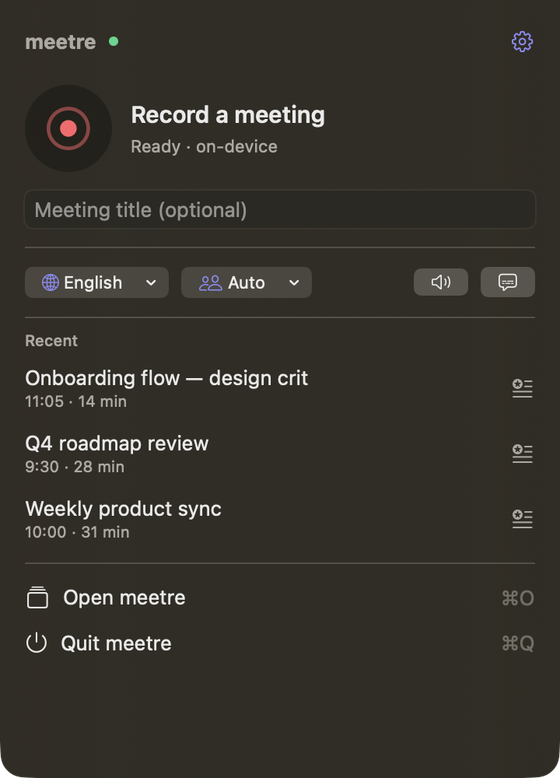
I wrote a small design rule book for the app before building most of it, mostly so I'd stop arguing with myself. The rule I keep coming back to: one obvious action per surface. The menu bar popover is for recording. The meeting view is for reading the summary. Settings is for changing one thing. Everything secondary goes into a menu.
The popover follows that. A big glass record button, a status line under it, your last three meetings, and that's about it. The colour discipline is strict too: the red is reserved for recording, and nothing else in the whole app is allowed to use it. Delete buttons get the system's destructive red, which sounds like hair-splitting until you realise how much calmer an interface feels when red means exactly one thing.
A library, finally
The biggest new surface is the library window. Meetings sit in a sidebar grouped by Today, Yesterday, This week and Earlier. Each meeting has three tabs: Summary, Transcript and Chat. The summary splits into decisions, action items you can tick off, and open questions. The transcript groups turns by speaker with a coloured gutter, so you can scan who talked for twenty minutes without reading a word.
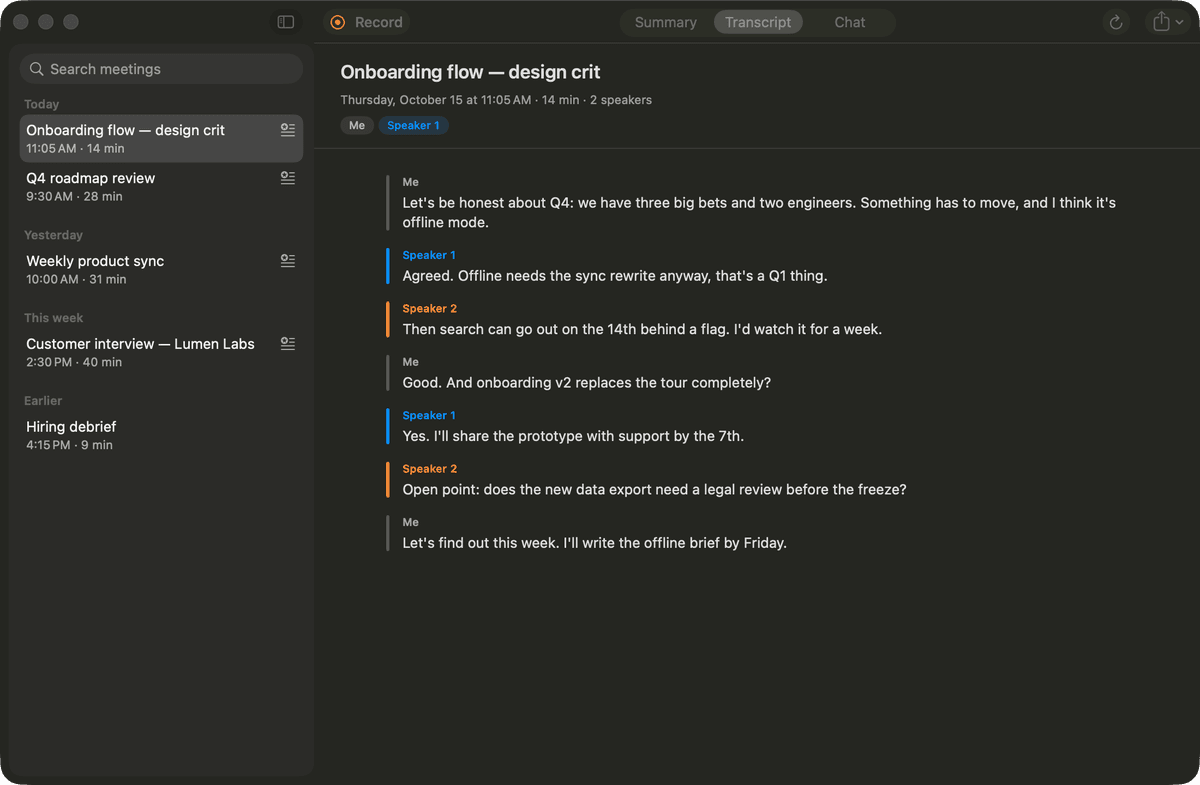
Chat is the newest of the three and gets its own post, because it turned into a bigger story than I planned.
I didn't rewrite the engine. I just stopped letting it talk to you directly.
Captions you can ignore
While recording, live captions float in a small dark panel in the top-right corner. It's click-through, so it never steals a click from the call you're actually in, except for the two little buttons in its header. By default it's collapsed to a slim strip. One click expands it. It's always dark, so it reads over any wallpaper, and it fades in and out instead of sliding, because a sliding panel next to a video call is the visual equivalent of someone waving in the background.
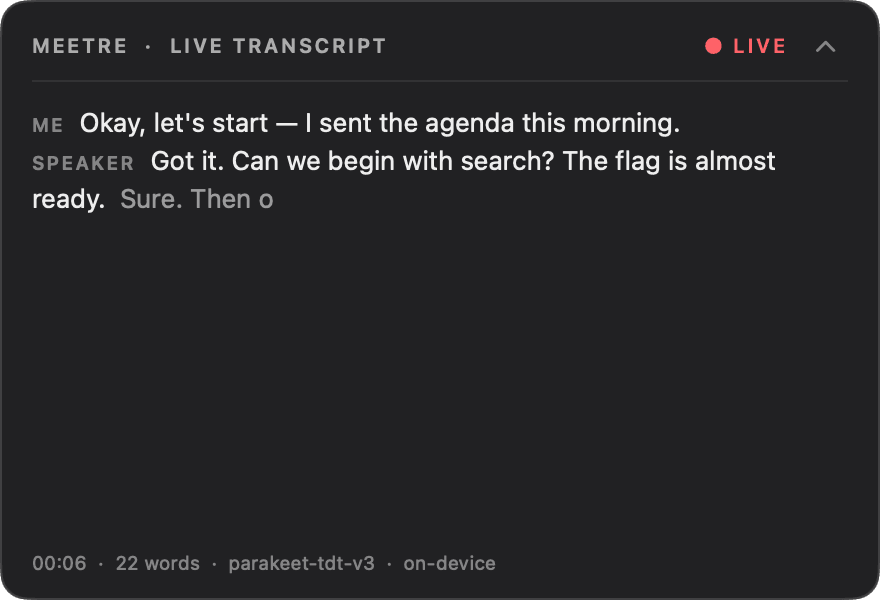
Getting those captions to label the right person turned out to be the hardest problem of the whole release. That saga has its own post too.
It notices the call
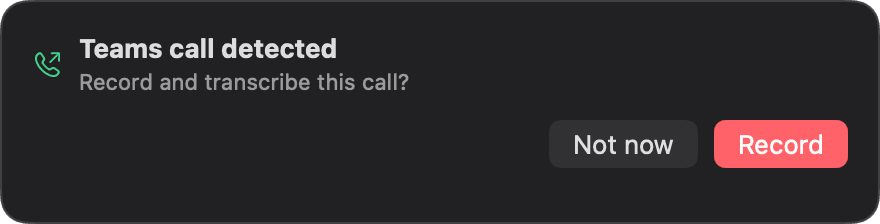
Most of my calls are on Teams, and most of the meetings I forgot to record were the ones that started while I was still finishing an email. Now Meetre watches for a Teams process grabbing the microphone and asks if it should record. When the call ends, it asks if it should stop. If you ignore the second question, it just keeps recording, which is the safe default for a tool whose whole job is not losing things.
Nobody has to reinstall anything
Anyone still on the old Python version shouldn't need instructions from me. So the old menu-bar version updates itself as usual, then builds the new Meetre.app in the background, swaps its login item, cleans up the Launchpad entry so there's exactly one, and opens the new app. The installer also refuses to quit Meetre while it's recording or processing, because an update that eats a meeting would be the most ironic bug I could ship.
Where it's going
The roadmap has two bigger steps. First, meetings become plain folders in a location you choose, by default iCloud Drive: a meeting.json, the transcript, the summary and optionally the audio. Plain files on purpose, so they open in Finder or Obsidian and back up with everything else. Second, an iPhone and iPad companion that reads the same folder: browse meetings, read summaries, tick off action items. Recording stays on the Mac for now.
The whole thing is still open source under MIT and still runs entirely on your machine. It's on GitHub. Install is still one line, and if you already have it, you don't have to do anything at all, which is my favourite kind of release note.